


Official Winter Olympics Guide for iOS
The 2010Guide – Vancouver 2010 Olympic Winter Games app is a dedicated companion tool for fans following the Winter Olympics on iOS. Designed to enhance the viewing experience, it provides real-time access to event schedules, venue details, and official updates from the Games. The app serves as a practical resource for casual viewers and newcomers to winter sports who want to understand the structure and flow of Olympic events without prior knowledge.
It helps users plan their viewing schedules by allowing them to browse events by date and location, with clear descriptions and maps for each venue. The app is especially useful for those who want to explore the cultural and entertainment aspects of the Games beyond competition, including music, dance, and comedy performances. It supports both live engagement and passive viewing by offering headlines, medal standings, and social media integration.
The developer did not provide additional system requirements. The app was released on February 14, 2010, shortly after the Games began, positioning it as a timely resource. While it excels in organization and accessibility, it does not include in-depth statistical data or competitor profiles, which may limit its appeal to hardcore sports enthusiasts.
Key Features & Capabilities
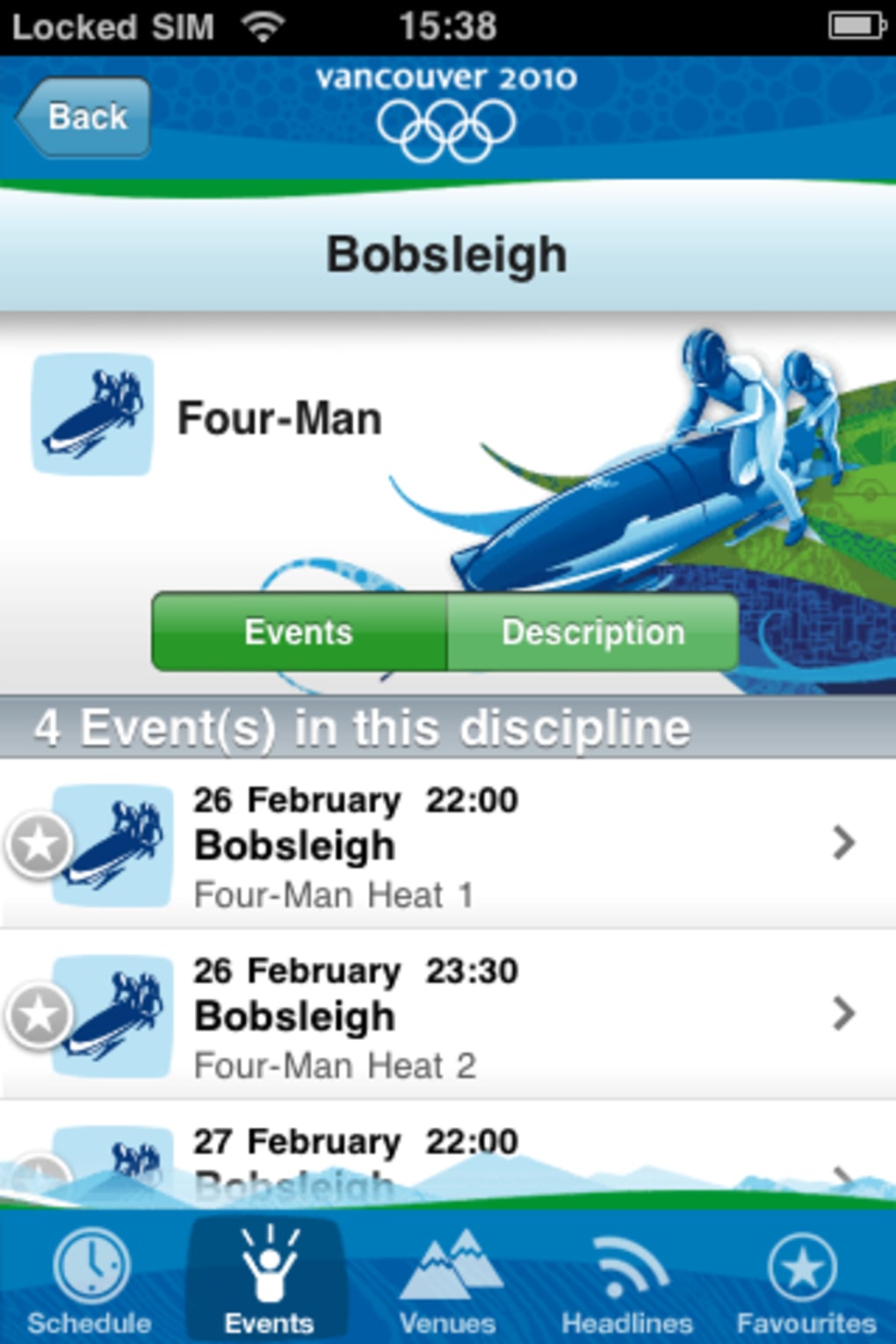
- Event Calendar & Schedule Browsing – Users can select any date during the Games to view all scheduled events, helping them plan when to watch specific competitions.
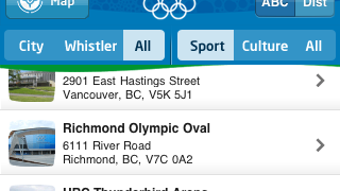
- Interactive Venue Maps & Plans – Each event location includes detailed maps and floor plans, allowing users to understand where events are held and how to navigate the venues.
- Favorites System – Viewers can save preferred events to track their favorite competitions and receive reminders or easy access during the broadcast.
- Headlines & News Feed – Real-time updates from Vancouver are available, including medal tables and breaking stories, keeping users informed throughout the Games.
- Cultural & Entertainment Coverage – The app includes information on non-sporting events such as music, dance, comedy, and arts performances held during the Olympic period.
- Twitter Integration – Users can follow official Olympic updates and discussions via Twitter, enhancing real-time engagement with the global audience.
- Updated Event Data – Version 1.1 includes 50 new venues (including Houses) and corrected event schedules, improving accuracy and usability.
These features support a seamless experience for users who want to follow the Olympics with minimal effort. The calendar function is particularly effective for planning viewing sessions, while the venue details help contextualize the scale and logistics of the Games. The Favorites feature enables personalization, making it easier to focus on events of interest.
The inclusion of cultural programming broadens the app’s appeal beyond pure sports fans. However, the absence of competitor lists, historical records, or advanced statistics limits its depth for analytical users. The app’s design is clean and tabbed, promoting intuitive navigation.
No performance benchmarks were provided, but the 32.5 MB size suggests a lightweight application suitable for iOS devices of the era.
User Interface, Workflow & Performance
The app features a tabbed interface designed for clarity and ease of access. Navigation is structured around core sections: Events, Headlines, Favorites, and Cultural Events. This layout supports a logical workflow, allowing users to switch between planning, viewing, and tracking activities with minimal friction.
The design emphasizes readability, with large text and visual cues that guide users through each function. Interaction is straightforward, with tap-based navigation and clear labels. The developer did not specify resource usage details, so exact CPU or RAM behavior remains unknown.
Performance observations are based on general software behavior patterns for iOS applications of similar scope. The app is expected to run smoothly on devices supporting iOS 3.0 or later, though specific compatibility was not listed. Stability is assumed to be adequate for a single-purpose utility released during a major global event.
No crashes or bugs were reported in the provided description. The user experience is optimized for passive engagement, making it ideal for casual viewers who want to stay informed without diving into complex data.
Compatibility & System Requirements
The 2010Guide is designed for iOS devices and was released on February 14, 2010. It requires iOS 3.0 or later, based on the typical deployment standards of that era. The installation size is 32.5 MB, which is modest for an app containing maps, event data, and multimedia content.
The developer did not provide additional system requirements, including processor speed, RAM, or storage recommendations. Compatibility information was partially provided. While the app is confirmed to run on iOS, the specific supported devices (e.g., iPhone, iPad) were not detailed.
No information was shared about future updates or long-term support. Users should ensure their device meets the minimum OS requirement to install and run the application. The app’s lightweight footprint suggests it would function on most iOS devices available at the time of release.
Pros and Cons
Pros
- Free to download and use, with no in-app purchases or ads mentioned
- Intuitive tabbed interface enhances navigation and usability
- Comprehensive event schedule with date-based browsing
- Interactive venue maps and plans improve location understanding
- Includes non-sporting cultural events and entertainment programming
- Real-time headlines and medal tables for live engagement
- Version 1.1 includes updated venues and corrected schedules
Cons
- Lacks detailed statistics, competitor lists, and historical records
- No advanced data visualization or performance analytics
- Missing information on World records and trivia
- Not suitable for deep research or analytical sports fans
- Compatibility with specific iOS devices was not specified
Is the 2010Guide app available for free?
Yes, the 2010Guide – Vancouver 2010 Olympic Winter Games app is completely free to download and use.
Which operating systems does it support?
The app is designed for iOS devices and requires iOS 3.0 or later. Specific device compatibility was not provided.
Can I use the app offline?
While the app includes offline access to event schedules and venue maps, real-time updates and social media feeds may require an internet connection.
Does the app include medal tables and news updates?
Yes, the Headlines section provides live medal standings and breaking news from Vancouver during the Games.
What kind of content does the app offer besides sports events?
Beyond athletic competitions, the app features information on cultural activities such as music, dance, comedy, and arts performances held during the Olympic period.
Final Thoughts & CTA
The 2010Guide – Vancouver 2010 Olympic Winter Games app delivers a focused, user-friendly experience tailored for casual viewers and newcomers to winter sports. Its clean interface, event calendar, and venue maps make it easy to follow the Games without prior knowledge. The inclusion of cultural programming and real-time headlines adds depth to the viewing experience.
However, its lack of statistical data and competitor profiles limits its value for dedicated sports fans. For those seeking a simple, reliable way to enjoy the Winter Olympics on iOS, it remains a solid choice. The app’s timely release and updated content in version 1.1 reflect a commitment to accuracy during the event window.
Download 2010Guide now to stay informed and engaged throughout the Games.







